
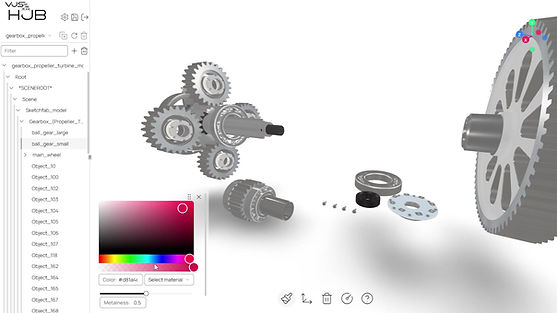
Most CAD data isn't ready for XR
Anyone who has worked with engineering data knows the reality: CAD files are rarely clean. They are built or construction and simulation, not for real-time rendering or interactive training. Before a CAD model can become something a technician can pick up, rotate, and operate in mixed reality, it has to be prepared. Doing that by hand is exactly what has kept XR out of reach for most companies.
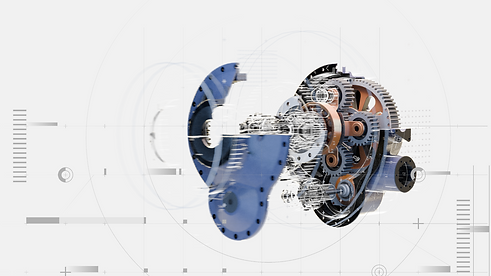
How VUSE XR Hub works
Four steps take you from a raw CAD file to a functional mixed reality twin.

Built once. Deployed anywhere.
A single build serves an engineer on their laptop, a technician on a tablet in the field, and a new hire training hands-on in a headset.
A mixed reality twin built in the Vuse XR Hub isn't locked to a headset. The same twin runs on a web browser, on a phone or tablet, and in full mixed reality — so a single build serves an engineer reviewing a part on their laptop, a technician following a repair on a tablet in the field, and a new hire training hands-on in a headset. There's no separate content pipeline for each device and no "lite" version that leaves out the interactivity. Everyone works from the same data, wherever they are.
Key Capabilities
Trainers, product experts, and engineers build and maintain interactive content themselves.
No-code content creation
Trainers, product experts, and
engineers build interactive lessons themselves with visual, drag-and-drop tools — no developers, no 3D specialists, no waiting in a project queue
Direct CAD import
Existing 3D product designs go straight into the platform. When the product changes, the mixed reality twin can be updated from the same CAD source instead of being rebuilt from scratch.
Deep, hands-on interactivity
Every screw, every lever, every component can be operated — not viewed. Learners practice the actual sequence of a task, not a description of it.
Guided, step-by-step training
Digital hints and structured
steps walk users through complex or high-risk procedures, reducing errors before they happen in the real world.
Secure, controlled environments
Training and reference
content stays inside a managed platform your organization controls — not scattered across shared drives, USB sticks, or outdated printouts.
Multi-language support
The same twin and the same interactions can be delivered in the language each team, region, or customer needs, without maintaining separate
content per market.
Field repair support
The same interactive twin used for training doubles as an on-the - job reference - technicians can pull up the exact repair sequence on a tablet or headset in the field, not just in a classroom.